
 Additional settings for Safari Browser.


Instructions for Accessing Student Report Cards
Posted Date: 12/01/25 (05:30 PM)
Good Evening,
Report cards are now officially available. To view them, please log in to the Infinite Campus Parent Portal by clicking the following link (Click Here). Then navigate to the Documents tab, where each student’s report card is posted.
The screenshot below highlights where to find the Documents tab once you are logged in: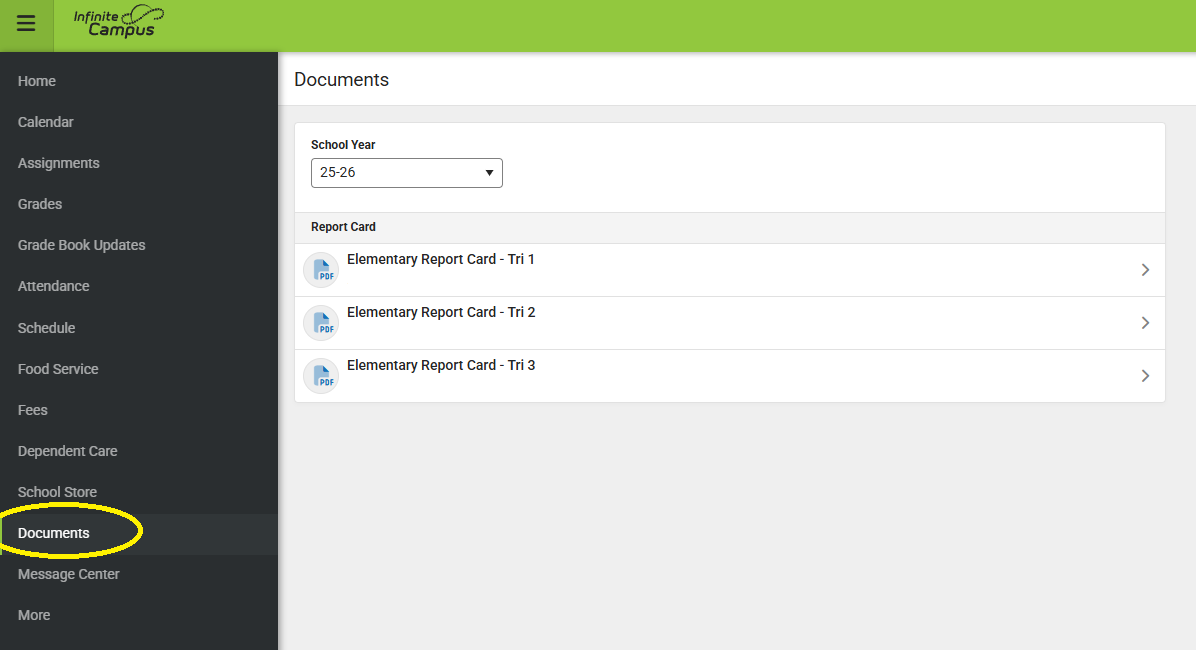
If you experience any issues accessing your account or locating the report card, please contact the IT Department at epsit@ellingtonschools.net for assistance.
Thank you!